
We built this CRM to run our own business, then opened it up for yours. Every step — from first enquiry to payment received — lives in one connected system.
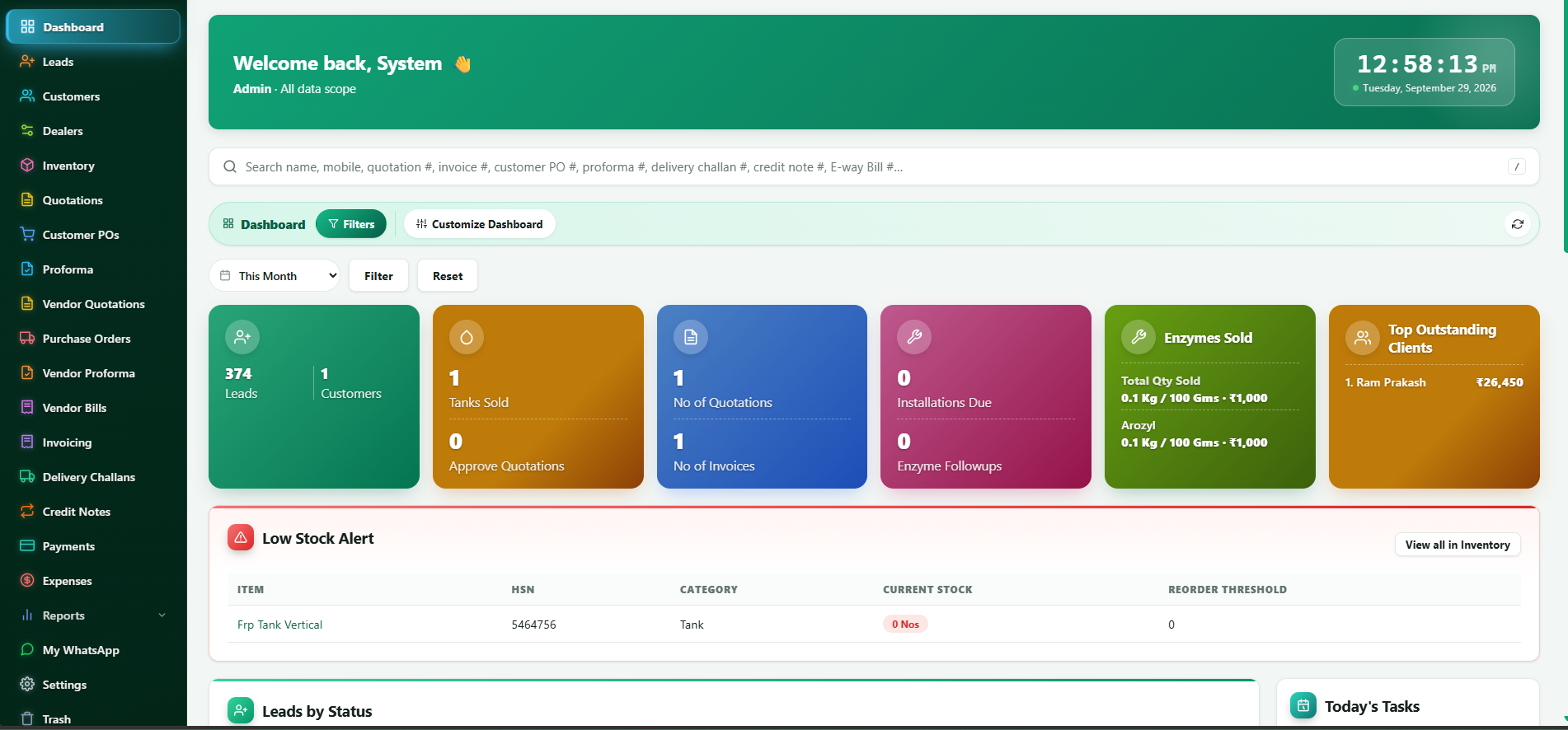
Every module is built around how the work actually happens, not around what's easy to code.
Lead tracking and status, customer and dealer records, quotations with approval, customer POs, proforma invoices, and a daily task list for follow-ups.
Tax invoices with HSN codes, e-way bill details, delivery challans, credit notes, payment tracking and expense records.
Live stock for every item, a reorder threshold you set per item, and a low stock alert on the dashboard before anything runs out.
Vendor quotations and proforma, purchase orders and vendor bills, so buying is tracked with the same rigour as selling.
Sales, quotations and invoices for the current month, top outstanding clients, leads by status, filterable by period and customisable per user.
WhatsApp integration, one search box for names, mobile numbers, quotation, invoice, PO, challan and e-way bill numbers, and a trash to recover deleted records.
Every step is linked, so a lead becomes a quotation, then an invoice and a delivery challan, without re-typing the same details.
Capture the enquiry and set its status so it's never left unattended.
Send pricing for approval, straight from the customer's record.
Log the customer's purchase order against the approved quotation.
Issue a proforma invoice where payment is needed before dispatch.
Generate the GST tax invoice with HSN codes already filled in.
Dispatch with the e-way bill details attached to the same record.
Track what's paid and what's outstanding, per client.
The dashboard surfaces what's pending today, so nothing waits for someone to remember it — quotations awaiting approval, installations and follow-ups that are due, items below reorder level, and the clients with the highest outstanding amounts.
Book a demo
Because we use it ourselves, we can change it to fit your business too.
Your item categories, document formats and approval steps, not a fixed template.
Each user sees only the data scope they're given — admin, sales or accounts.
The people who built it are the people who help you when something needs to change.
Yes — WhatsApp is already built in, and we scope click-to-call or email integrations based on what your team uses.
Yes. Document formats, numbering series and required fields are set up around what you already use, including HSN codes and e-way bill details.
Yes — we import existing customers, dealers and inventory from your spreadsheets or current software as part of setup.
Access is role-based, so each login only sees the customers, leads and reports within its assigned data scope.
Tell us how you handle quotations, stock and invoicing today, and we'll show how the CRM fits.